
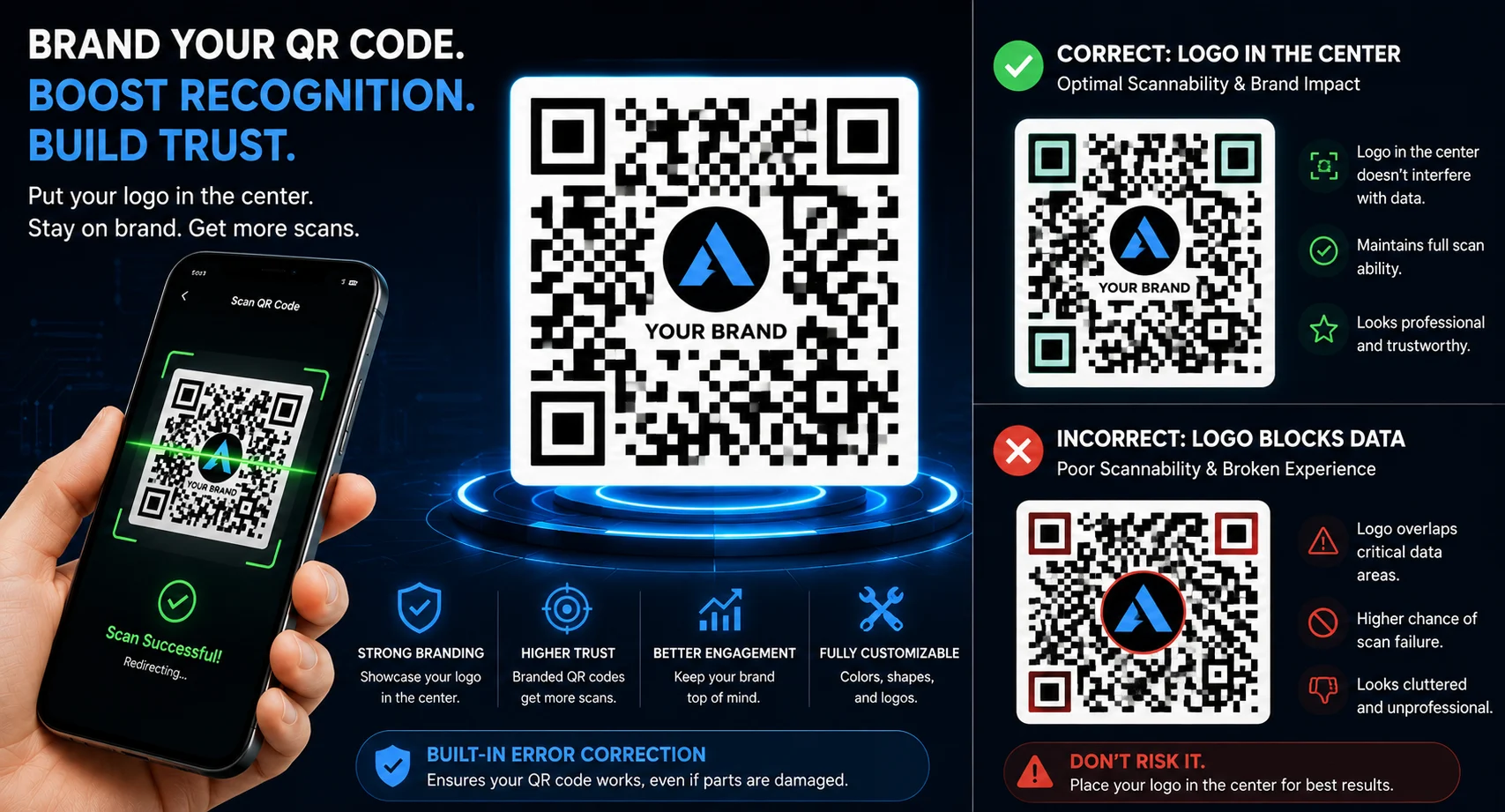
Adding a logo to your QR code is one of the best ways to strengthen brand recognition and improve user trust. A branded QR code often receives more scans because users can instantly recognize the company behind it.
However, many businesses accidentally make their QR codes unreadable by using oversized logos, poor contrast, or incorrect design settings. In this guide, you’ll learn how to add a logo to your QR code without breaking scanability.
Why Add a Logo to a QR Code?
Standard black-and-white QR codes work well, but branded QR codes often perform better in marketing campaigns.
- Increase brand recognition
- Build customer trust
- Improve scan rates
- Create professional marketing materials
- Stand out from generic QR codes
Create Custom QR Codes With Logos
Generate professional QR codes for websites, PDFs, menus, business cards, and marketing campaigns.
Create QR CodeHow QR Codes Survive Logo Placement
QR codes contain built-in error correction technology. This allows part of the code to be covered while remaining scannable.
The higher the error correction level, the more data can be recovered when portions of the QR code are obscured.
| Level | Recovery Capacity |
|---|---|
| L | 7% |
| M | 15% |
| Q | 25% |
| H | 30% |
For logo QR codes, using High (H) error correction is usually recommended.
Best Practices for Adding a Logo
1. Keep the Logo Small
Avoid covering too much of the QR code. A logo should generally occupy less than 20% of the total QR code area.
2. Place the Logo in the Center
The center area is usually the safest location because QR codes can recover lost data around it more effectively.
3. Maintain Strong Contrast
Dark QR patterns should remain clearly visible against a light background.
4. Leave a Quiet Zone
The white border surrounding the QR code is essential for proper scanning.
5. Test Before Printing
Always scan the QR code using multiple devices before publishing or printing.
Build Branded QR Codes That Scan Perfectly
Customize colors, add logos, and generate high-quality QR codes for marketing and business use.
Start CreatingCommon Mistakes That Break QR Codes
- Using oversized logos
- Removing the white border
- Low color contrast
- Placing graphics over finder patterns
- Using low-resolution downloads
- Skipping scan testing
Logo QR Code Design Tips
- Use SVG or high-resolution PNG logos
- Choose simple logo designs
- Add a white outline around logos if needed
- Keep branding consistent
- Use square logos when possible
A beautiful QR code is useless if it cannot be scanned. Always prioritize functionality over decoration.
Where to Use Branded QR Codes
- Business cards
- Restaurant menus
- Product packaging
- Flyers and brochures
- Retail displays
- Event marketing materials
- Social media promotions
Create Professional QR Codes Today
Generate QR codes with logos, custom colors, and branding while maintaining excellent scan performance.
Generate QR CodeFrequently Asked Questions
Can I add any logo to a QR code?
Yes, but the logo should not cover too much of the QR code.
Will adding a logo affect scanning?
If done correctly using proper error correction settings, scanning should remain reliable.
What is the best error correction level?
High (H) error correction is generally recommended for logo QR codes.
How big should a QR logo be?
Most designers keep logos below 20% of the QR code area.
Final Thoughts
Adding a logo to your QR code is an excellent way to strengthen branding and improve user confidence. By using proper error correction, maintaining strong contrast, and keeping the logo appropriately sized, you can create visually appealing QR codes that remain highly scannable.
A well-designed branded QR code helps businesses stand out while delivering a smooth user experience.

Leave a Reply