
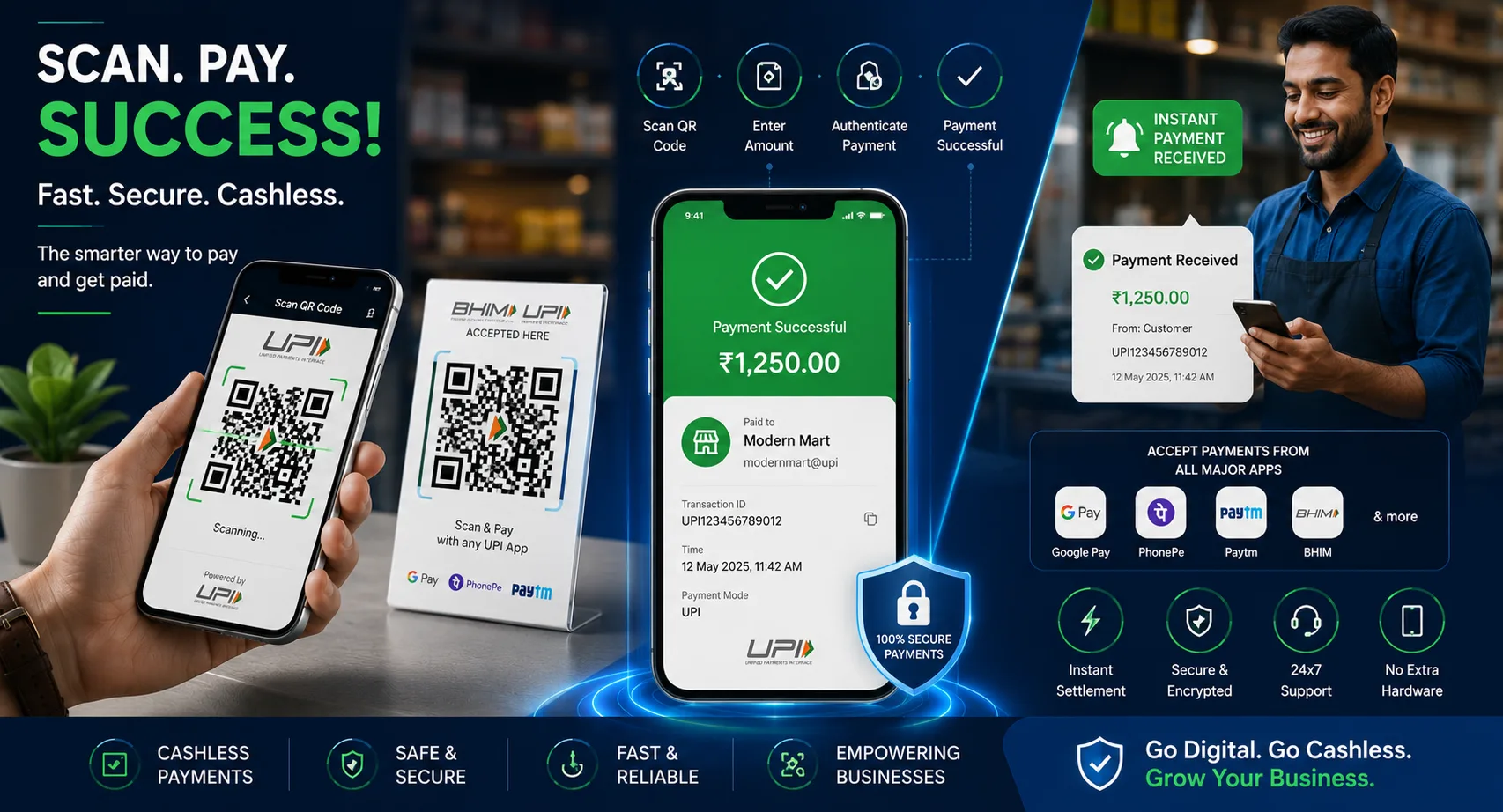
Cashless payments have become the preferred payment method for millions of consumers worldwide. Whether you run a retail store, restaurant, online business, freelance service, or local shop, using a QR code for payment makes it easier for customers to pay instantly.
Instead of handling cash or manually entering account details, customers simply scan a payment QR code and complete the transaction within seconds.
This step-by-step guide explains how payment QR codes work, how to create one, and how businesses can use them to streamline transactions and improve customer convenience.
Table of Contents
- What Is a Payment QR Code?
- Benefits of Payment QR Codes
- How to Create a QR Code for Payment
- Where to Use Payment QR Codes
- Payment QR Code Best Practices
- Common Mistakes to Avoid
- FAQ
What Is a Payment QR Code?
A payment QR code is a scannable code that contains payment information such as a payment link, merchant account, bank details, or mobile wallet information.
When customers scan the QR code using a compatible payment app, they can instantly send money without manually entering account information.
Payment QR codes are commonly used with:
- UPI payments
- Google Pay
- PhonePe
- Paytm
- Banking apps
- Digital wallets
- Online payment gateways
Create Payment QR Codes Instantly
Generate QR codes for payment links, websites, PDFs, business cards, menus, and more.
Create QR CodeBenefits of Using QR Codes for Payments
Fast Transactions
Customers can complete payments within seconds.
Contactless Payments
Reduce physical contact during transactions.
Reduced Errors
Eliminate mistakes caused by manual account entry.
Better Customer Experience
Offer convenient and modern payment options.
How to Create a QR Code for Payment
Step 1: Choose Your Payment Platform
Select the payment service you want to use, such as UPI, Google Pay, PhonePe, Paytm, Stripe, or another supported provider.
Step 2: Obtain Your Payment Link
Most payment services provide a payment URL or QR code that can be shared with customers.
Step 3: Generate a QR Code
Paste the payment link into a QR code generator.
Step 4: Customize Your QR Code
- Add your logo
- Use brand colors
- Include payment instructions
- Maintain strong contrast
Step 5: Download and Test
Scan the QR code using multiple devices and payment apps to ensure it works correctly.
Accept Payments Anywhere
Create QR codes that customers can scan instantly from stores, invoices, menus, websites, and marketing materials.
Generate Payment QRWhere Can You Use Payment QR Codes?
- Retail stores
- Restaurants and cafés
- Market stalls
- Business invoices
- Freelance services
- Events and exhibitions
- Online businesses
- Delivery services
- Donation campaigns
Payment QR codes can be displayed both digitally and in printed materials.
Payment QR Code Best Practices
- Use high-resolution QR codes.
- Keep payment information updated.
- Test regularly.
- Add clear payment instructions.
- Display QR codes prominently.
- Monitor transactions frequently.
The easier you make the payment process, the more likely customers are to complete transactions quickly.
Common Mistakes to Avoid
- Using outdated payment links
- Printing blurry QR codes
- Making QR codes too small
- Not testing before publishing
- Using low-contrast designs
- Failing to monitor payment confirmations
Static vs Dynamic Payment QR Codes
| Feature | Static | Dynamic |
|---|---|---|
| Editable Destination | No | Yes |
| Analytics | No | Yes |
| Best Use | Fixed Payments | Businesses & Campaigns |
Start Accepting Payments Faster
Create professional QR codes for payment links, digital wallets, invoices, and customer transactions.
Create Payment QR CodeFrequently Asked Questions
Are payment QR codes free?
Many payment providers offer free payment QR codes for personal and business use.
Can customers pay without entering account details?
Yes. The QR code automatically fills the payment information when scanned.
Do payment QR codes expire?
This depends on the payment provider and the type of payment link used.
Can I print a payment QR code?
Yes. Payment QR codes can be displayed on counters, invoices, packaging, posters, and menus.
Final Thoughts
A QR code for payment is one of the easiest ways to accept money quickly and securely. By simplifying the payment process, businesses can improve customer convenience, reduce transaction friction, and support modern cashless payment methods.
Whether you’re a small business owner, freelancer, restaurant operator, or online seller, payment QR codes provide a simple and effective way to receive payments instantly.

Leave a Reply