
Word to PDF Converter – Convert Word Doc to PDF Instantly
Word to PDF Converter
Convert .docx files to PDF — instantly, in your browser. Nothing uploaded to any server.
🔒 Your file never leaves your device. Conversion happens 100% in your browser.
Looking for a reliable Word to PDF Converter? You’re in the right place. This Word to PDF Converter helps you convert Word to PDF in seconds without losing formatting. Whether you need to change a Word document to PDF for work, college, or official use, this free and secure tool makes it simple. Our Word to PDF Converter free tool works directly in your browser — no downloads, no complicated setup. Just upload your file and get your PDF instantly. From a quick convert DOCX to PDF task to a full Word document to PDF workflow, this tool handles every case reliably and privately.
Why Use This Word to PDF Converter?
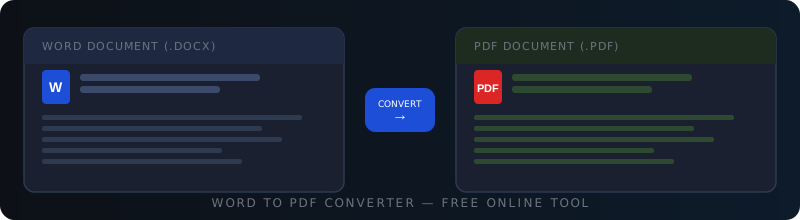
Using a Word to PDF Converter online ensures your documents look professional and consistent across all devices. Word files may render differently on different systems, but PDF files keep formatting permanently fixed. This convert Word to PDF tool preserves your fonts, images, tables, and layout perfectly.
Instant Word to PDF Conversion
Convert DOCX to PDF without formatting errors in seconds — no waiting, no queue.
100% Private & Secure
This Word to PDF Converter free tool runs in your browser. Your file is never uploaded to any server.
Formatting Preserved
Fonts, images, spacing, and tables are all retained when you change Word document to PDF.
Works on Any Device
Use this Word to PDF Converter online on desktop, tablet, or mobile — no app required.
How to Generate PDF from Word?
Converting a Word document to PDF is very simple using this Word to PDF Converter. Follow these four steps:
Upload Your Word File to the Word to PDF Converter
Click the Choose File button or drag and drop your .doc or .docx file directly onto the upload area of this Word to PDF Converter.
Conversion Starts Automatically
The convert Word to PDF process begins immediately. The tool reads your file, renders the content, and generates your PDF — all inside your browser.
Wait for the Word Document to PDF Process
A progress bar shows the status as your Word document to PDF is being processed. Most files complete in just a few seconds.
Download Your Converted PDF
Click the Download PDF button. Your Word to PDF free converted file saves directly to your device. Layout, fonts, images, and spacing remain intact.
Who Should Use This Word to PDF Converter?
This Word to PDF Converter free tool is perfect for anyone who regularly needs to convert Word doc to PDF without technical knowledge or paid software.
Is This Word to PDF Converter Safe and Trusted?
Yes. This Word to PDF Converter online tool is completely secure. Your files are processed entirely in your browser using open-source JavaScript libraries — nothing is ever uploaded, stored, or shared on any server. Data privacy is a top priority. This tool uses Mammoth.js for DOCX parsing and jsPDF for PDF generation — both trusted, open-source libraries used by thousands of developers worldwide.
Use Cases of the Word to PDF Converter
Here are the most common real-world situations where you need to convert Word doc to PDF quickly and securely. You may also find our Merge PDF Online and Split PDF Online tools useful for managing your PDFs after conversion.
- Submitting Government or Legal Documents: Use this Word to PDF Converter to create tamper-proof, universally readable PDFs for official submissions.
- Sending Read-Only Files to Clients: Convert Word to PDF before sharing proposals, contracts, or invoices to prevent accidental edits.
- Printing Formatted Reports: A Word document to PDF conversion ensures your layout, margins, and fonts print exactly as designed.
- Sharing Professional Documents via Email: Change Word document to PDF for resumes, cover letters, and portfolios to guarantee they look right on any device.
- Archiving Documents Securely: PDFs are the standard for long-term document archiving. This Word to PDF free tool makes archiving quick and simple.
- University & Academic Submissions: Most universities require PDF submissions. Use this convert DOCX to PDF tool to meet requirements instantly.
- Publishing Digital Content: Convert Word doc to PDF for ebooks, guides, and downloadable content that renders identically across all readers.
Word to PDF Converter — Frequently Asked Questions
How to convert a Word doc to PDF?
Upload your file into this Word to PDF Converter, wait a few seconds for the conversion to complete, then click the Download PDF button. Your Word document to PDF is ready to save to your device instantly. The entire process is free, private, and requires no account or software installation.
How to download a doc as a PDF?
After using this Word to PDF Converter free tool, a green download button appears once your PDF is ready. Click Download PDF and the converted file saves directly to your device. Your convert Word to PDF file will be named after your original document with a .pdf extension.
How do I convert a doc to PDF on my phone?
Open this Word to PDF Converter online in your mobile browser, tap the upload area, select your .docx file from your phone’s storage, and download the converted PDF. This Word to PDF free tool works smoothly on all smartphones and tablets without any app installation needed.
Can I convert DOC to PDF without software?
Yes. This browser-based Word to PDF Converter allows you to convert DOC to PDF without installing any software. Everything runs inside your web browser using JavaScript. No Microsoft Word, Adobe Acrobat, or any other application is required — just upload your file and download your PDF.
How do I convert a Word doc to a PDF?
Simply upload your Word file to this Word to PDF Converter, let the system process it, and download the final PDF version in seconds. The Word document to PDF conversion preserves your original layout, fonts, images, and spacing. The tool works on any device and is completely free — no registration, no watermarks.
More Free Online Tools
Discover our full collection of free developer and converter tools — no signup required.